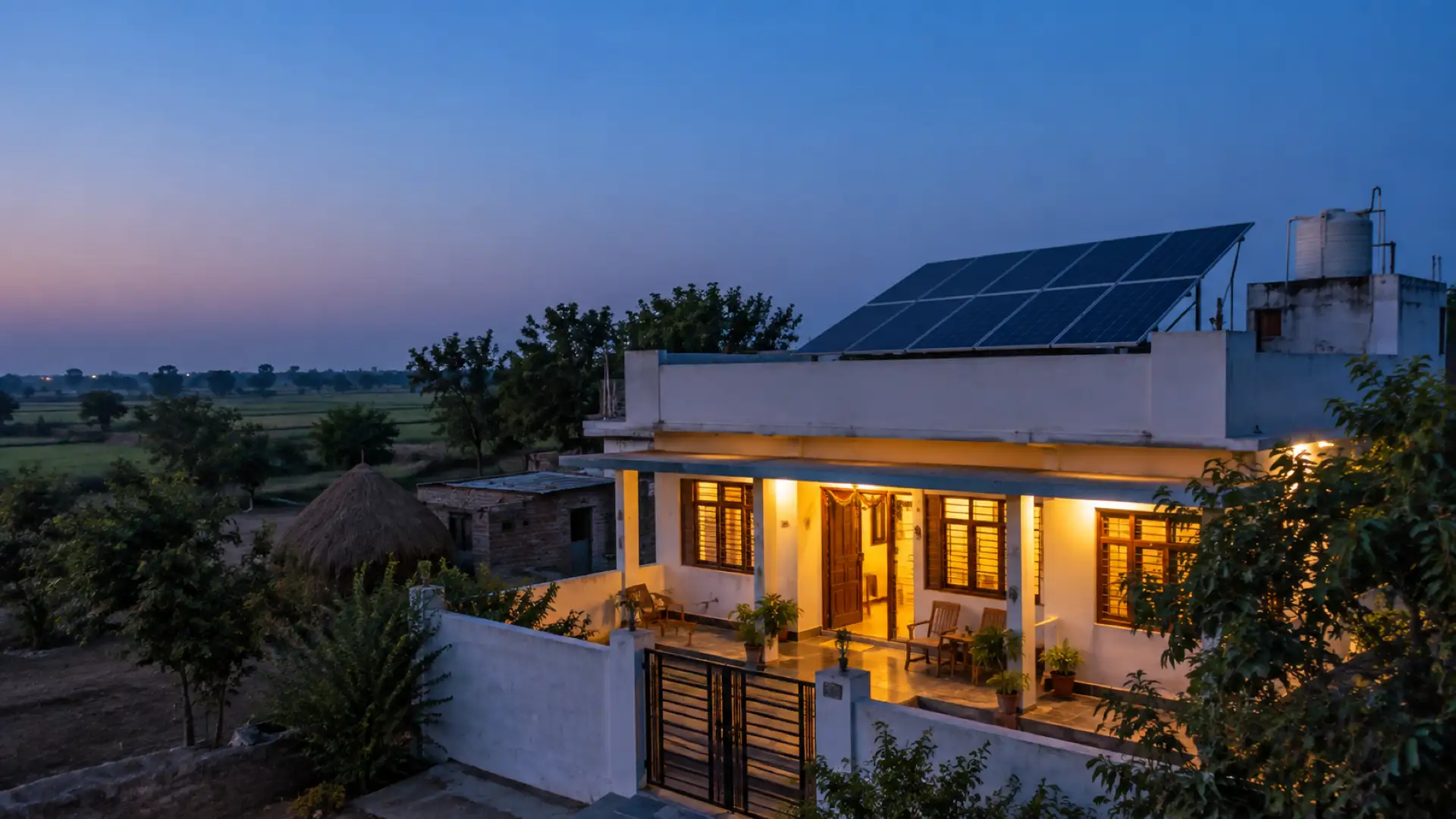
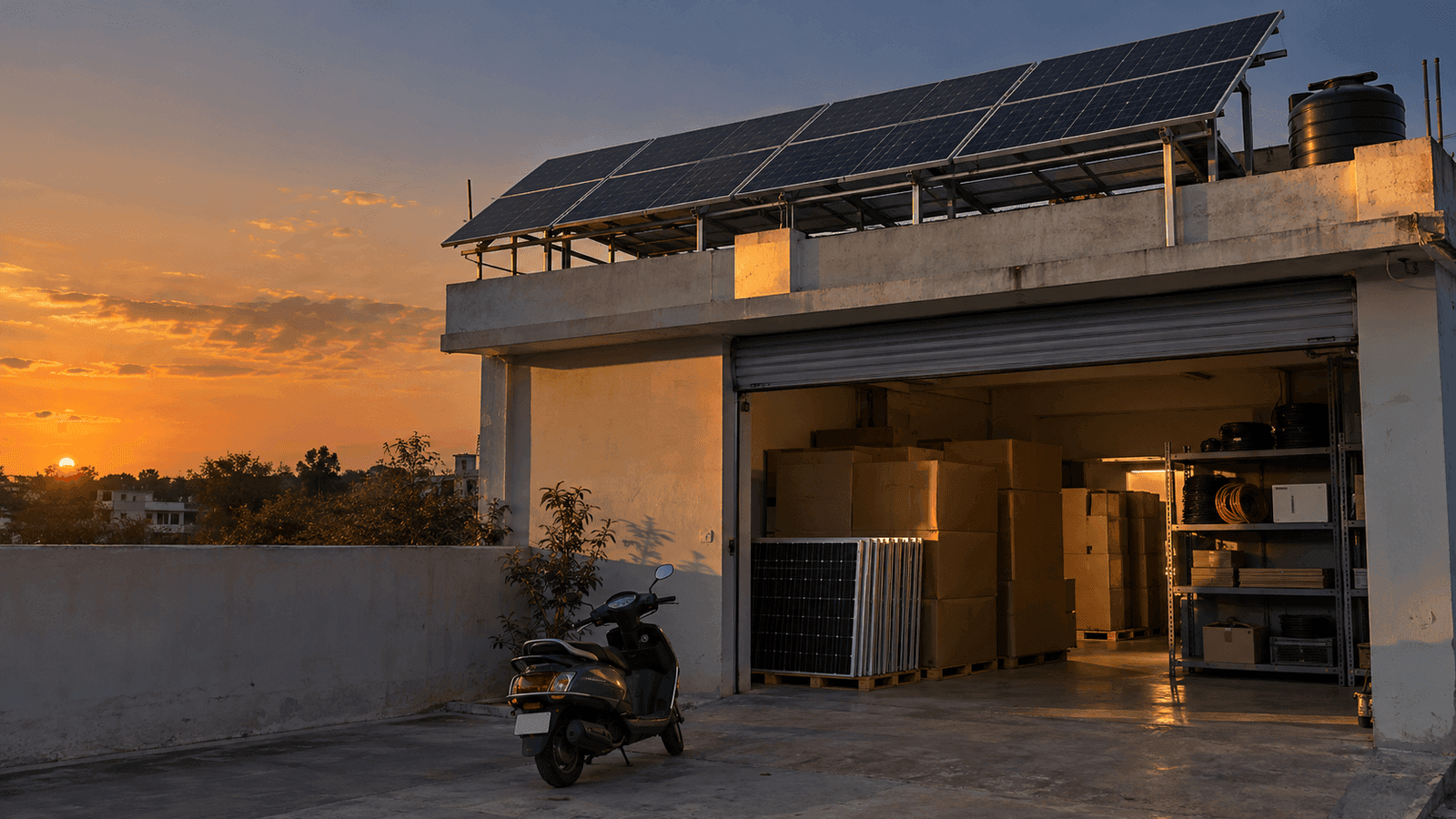
सोलर इंस्टॉलर के लिए CRM + ERP: लीड से सर्वे, कोटेशन, सब्सिडी फ़ाइल, इंस्टॉलेशन, पैसा, स्टॉक, टीम और सर्विस तक, एक ही ऐप में।
A rooftop solar job under PM Surya Ghar passes through many hands: a salesperson, a surveyor, whoever prices the quote, the person who handles the portal, a crew, an accountant, the store and, a year later, whoever answers the service call. Most installers run this on WhatsApp groups, a notebook and an Excel sheet. That works until the business has more open jobs than the owner can hold in their head.
"Solar CRM" usually means the sales half: leads and follow-ups. An installer needs the other half too, the ERP part: projects, money, stock and the team. This post walks the whole flow, stage by stage. For each stage: what goes wrong without a system, what the software must do, and one real screen from Raymitra, the AI-powered CRM + ERP we build for solar installers. All screens show sample data.
1. Lead: the first hour decides
Without a system: enquiries arrive on three phones, a Facebook form and a website. Nobody owns them. The customer who asked at the weekend gets a call days later, after another installer has already visited.
What the software must do: pull every source into one list, give each lead an owner, remind that person when a follow-up is due, and move the lead to someone else if it is missed. A score that says which leads are ready to buy saves the calls.
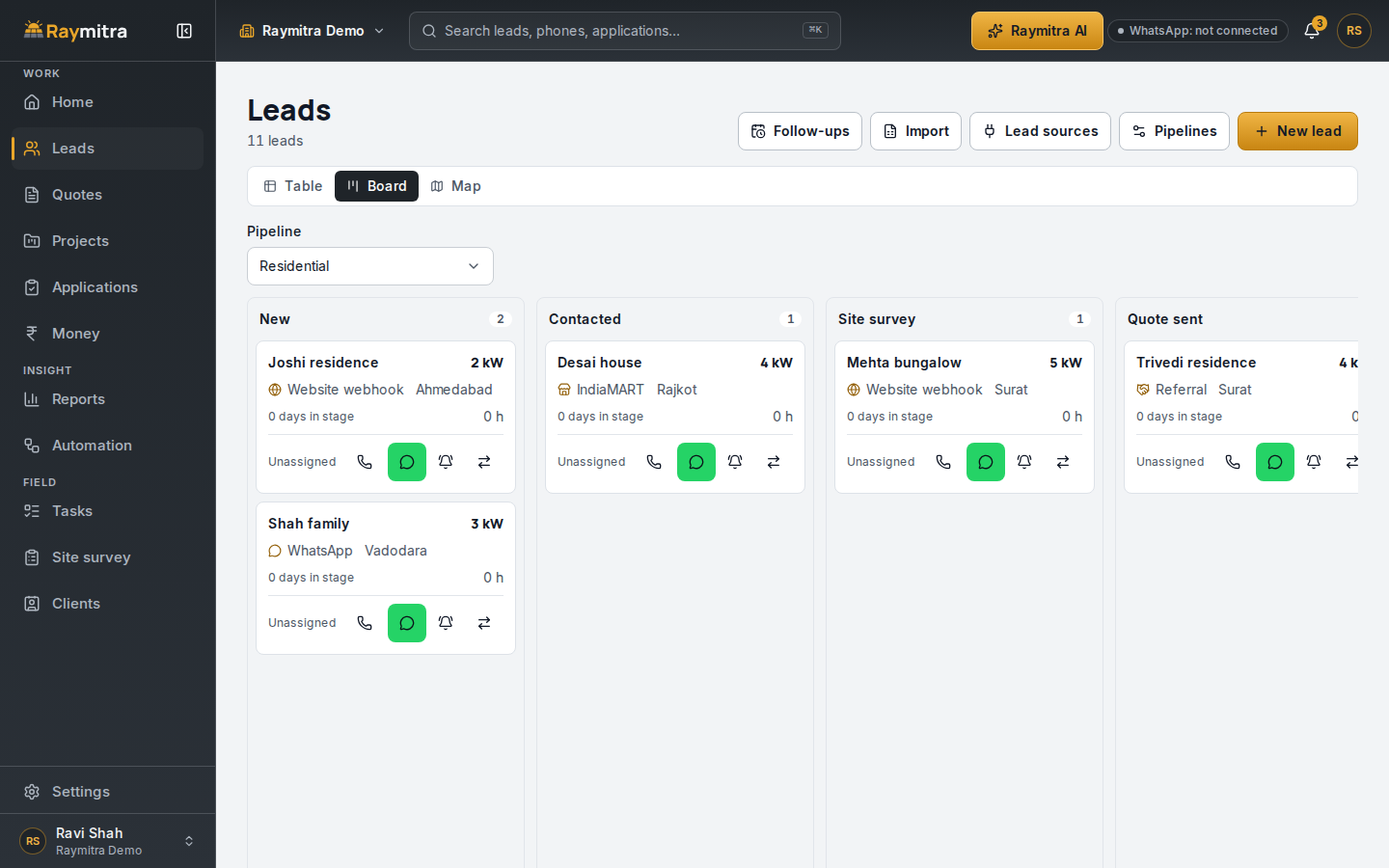
In Raymitra, WhatsApp and Facebook leads land on the board with the WhatsApp and Meta integration, and the AI marks each one hot, warm or cold. More on the leads page, and the follow-up templates we use.
2. Site survey: get it once, get it right
Without a system: the surveyor writes the sanctioned load on paper, photographs the roof on a personal phone and forgets the meter. The quote is made from memory, and the second visit costs a day.
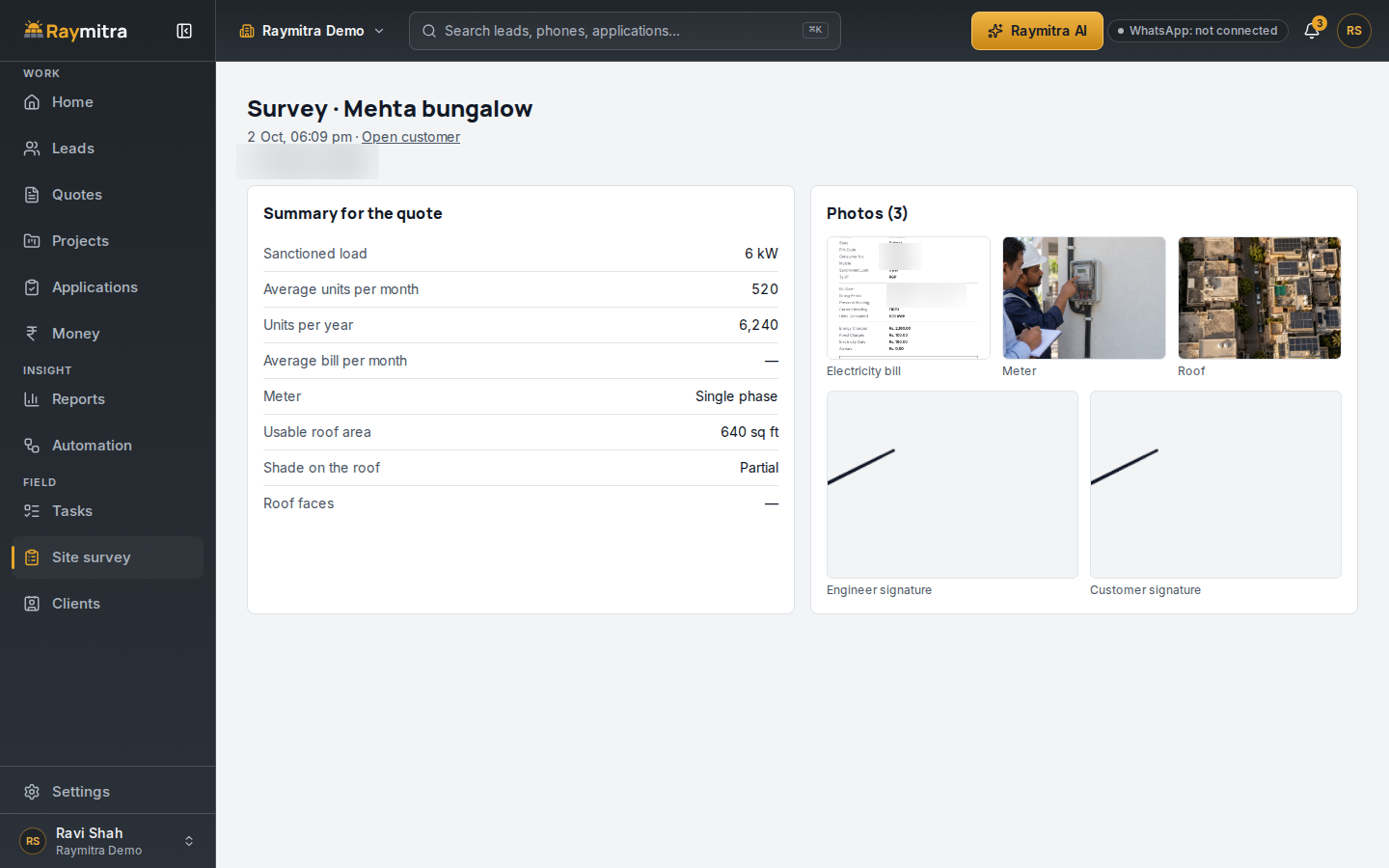
What the software must do: a survey form on the phone that works offline, with the bill, the meter, the roof, shade, photos and the customer's signature, all saved against the lead.
3. Quote: the number the customer checks
Without a system: each salesperson keeps their own price sheet. One quotes the old GST, another promises a state top-up that ended. The customer finds out after signing.
What the software must do: price every line from one price book, apply the central subsidy, your state's top-up only where it is confirmed, and the GST split, then send a clean PDF or a link the customer can accept on their phone.
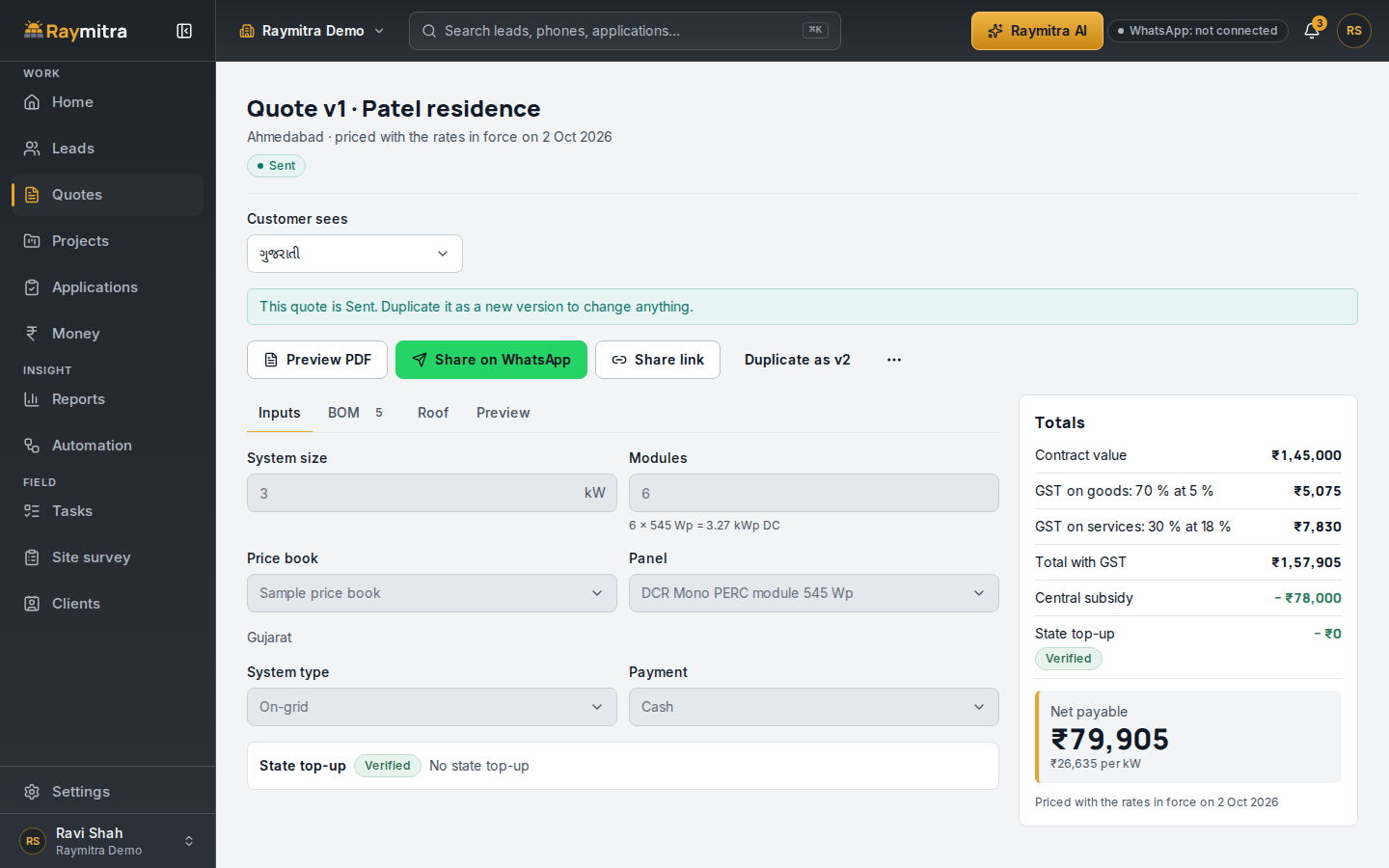
The 10-minute quote post works this exact 3 kW example line by line.
4. Subsidy file: the stage that gets vendors deactivated
Without a system: nobody can say which applications are stuck, at which stage, or since when. MNRE's notice of 24 August 2026 advises registered vendors not to hold consumer applications for more than 60 days without a valid reason. A file you forgot is a file that counts against you.
What the software must do: list every PM Surya Ghar file with its stage and days in that stage, oldest first, and flag files before they cross the line.
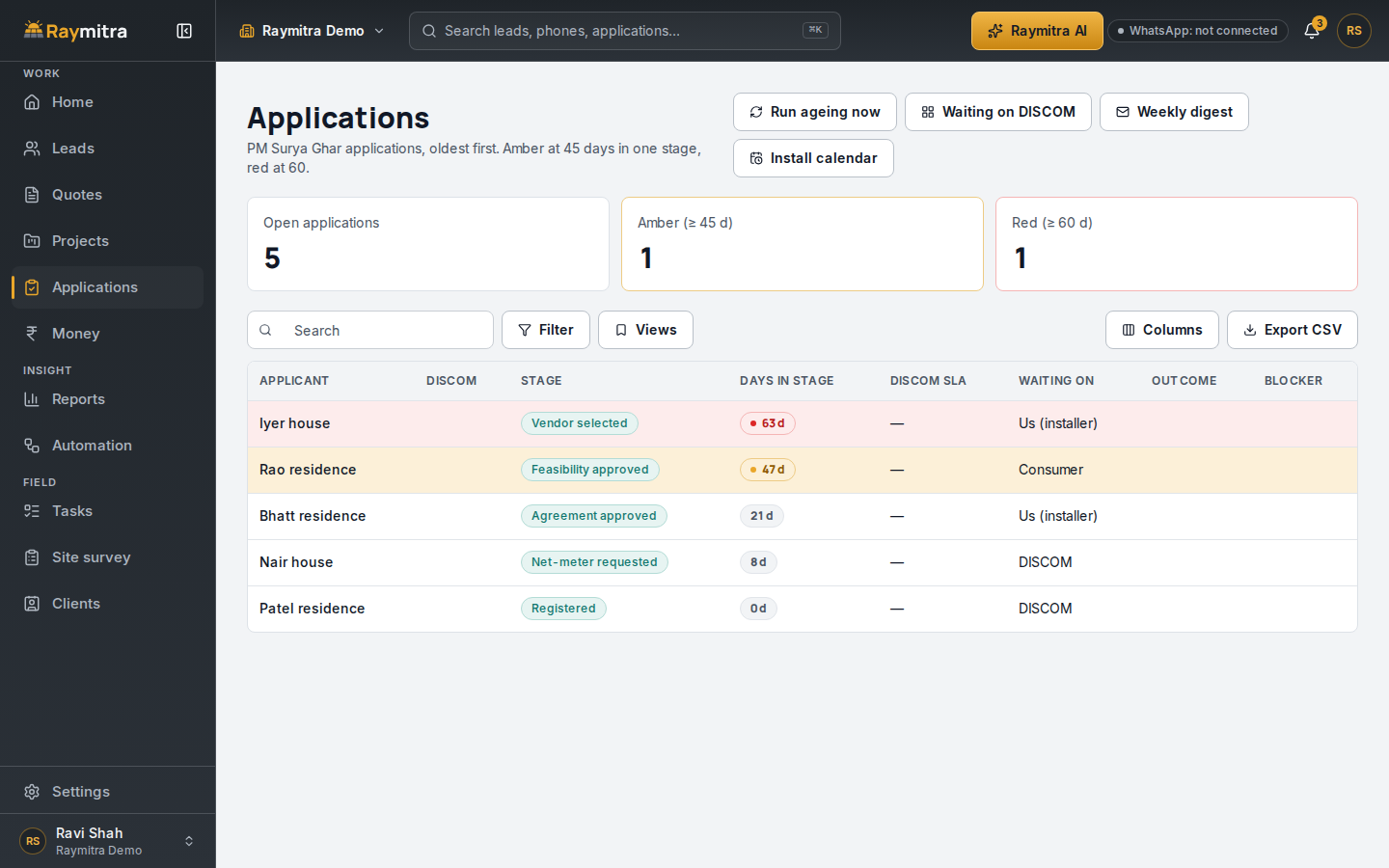
Raymitra turns a file amber at 45 days, our own early warning, and red at 60. Paste a DISCOM message and the AI suggests the file's new stage. The 60-day rule post has the background.
5. Installation: one list, every crew
Without a system: the crew lead calls the office for the address, the material goes to the wrong site, and nobody photographs the earthing before handover.
What the software must do: turn a won deal into a project with a fixed work list, put each crew's day on their phone, and keep quality checks with geo-tagged photos.
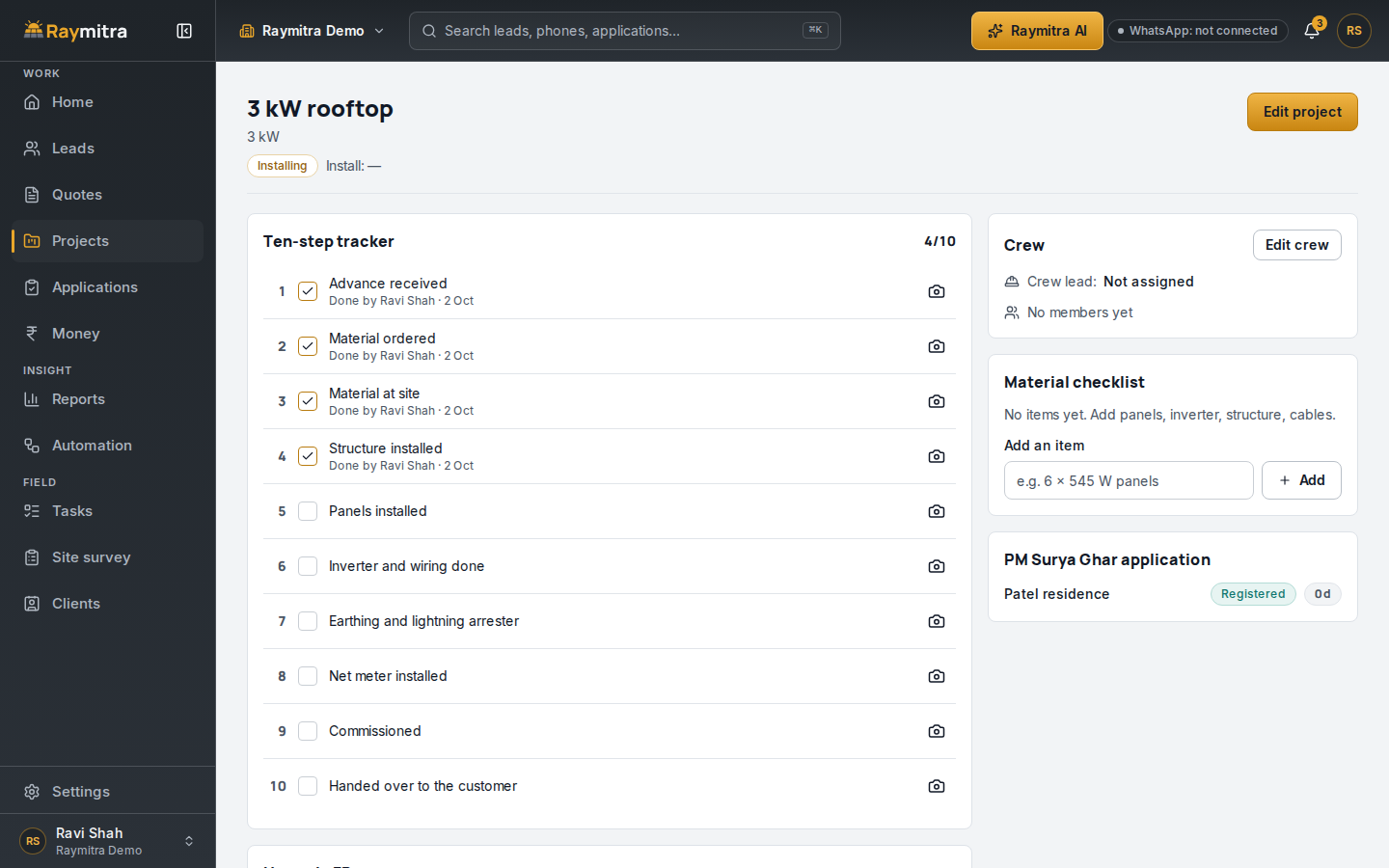
6. Money: collected, owed, and earned
Without a system: cash collected on site sits in a technician's pocket for days, dues are chased from memory, and the owner learns a job's profit only at year end, if at all.
What the software must do: a payment plan per job, cash on site recorded with one tap, a list of who owes what with reminders, profit per project, and one export for your accountant.
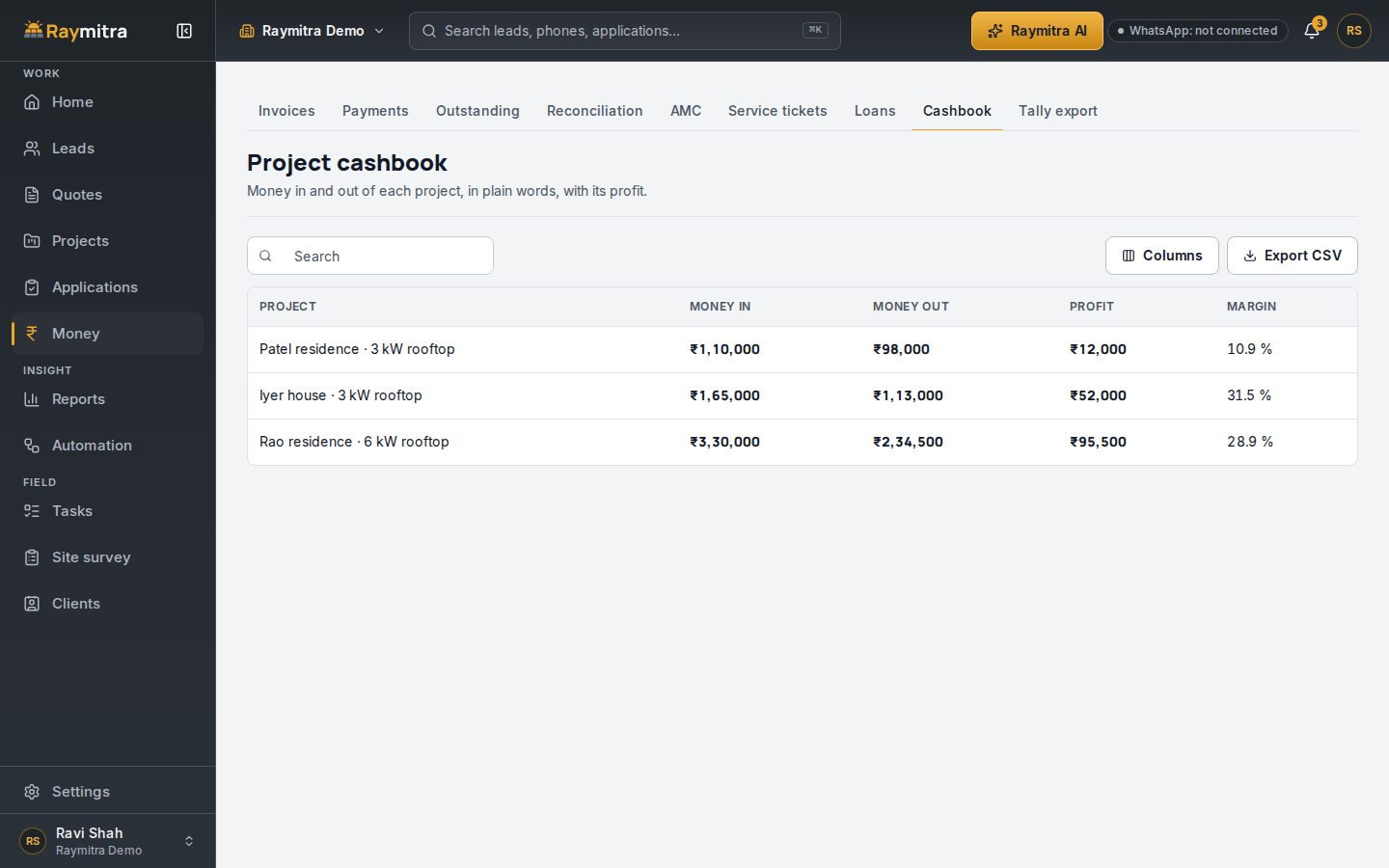
Raymitra exports to Tally. See the money page.
7. Stock: what is in the store, what is on site
Without a system: the store says the structures are there, the site says none arrived, and a job waits for an inverter that was "in stock".
What the software must do: stock by item and by store, low-stock flags, the material at each site, and purchases from order to goods received to supplier bill.
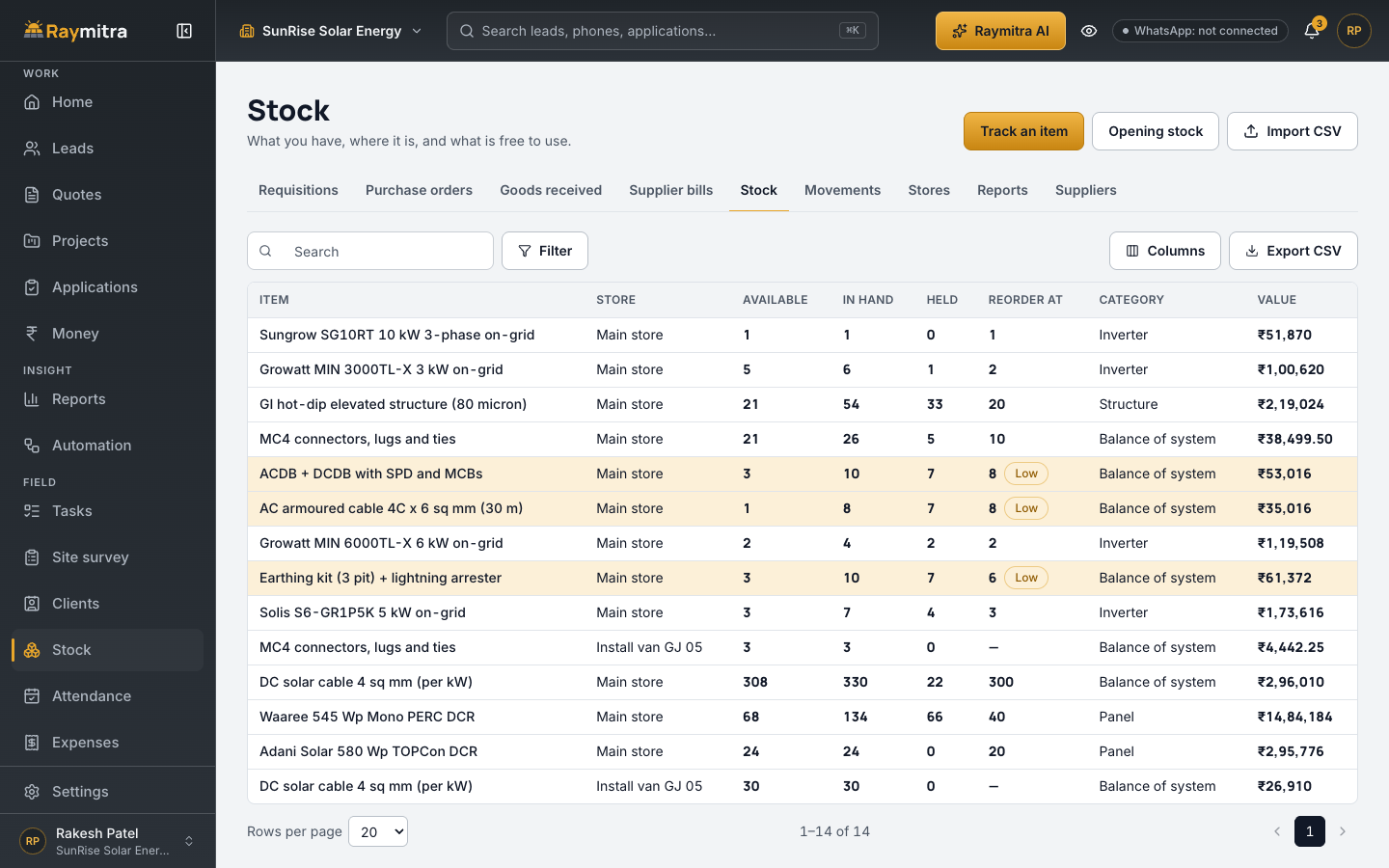
More on the stock page.
8. Team: attendance, pay run and site expenses
Without a system: attendance is a register in the office, salaries are worked out on a calculator, and site expenses arrive as a bundle of bills at month end.
What the software must do: punch-in from the phone with location, an attendance register that builds itself with leave, holidays and week-offs, a monthly pay run from that register, and site expenses and advances that wait for your approval.
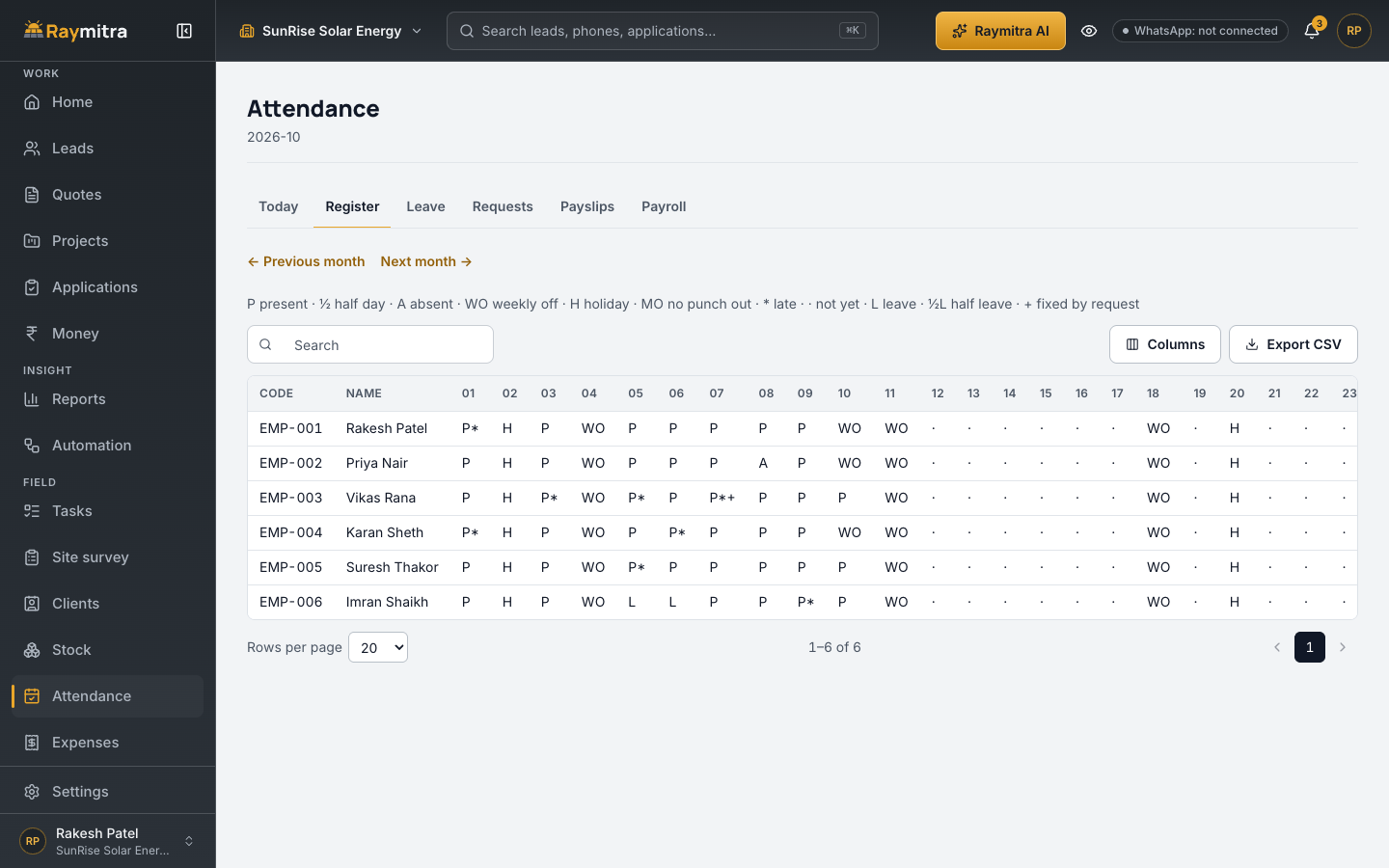
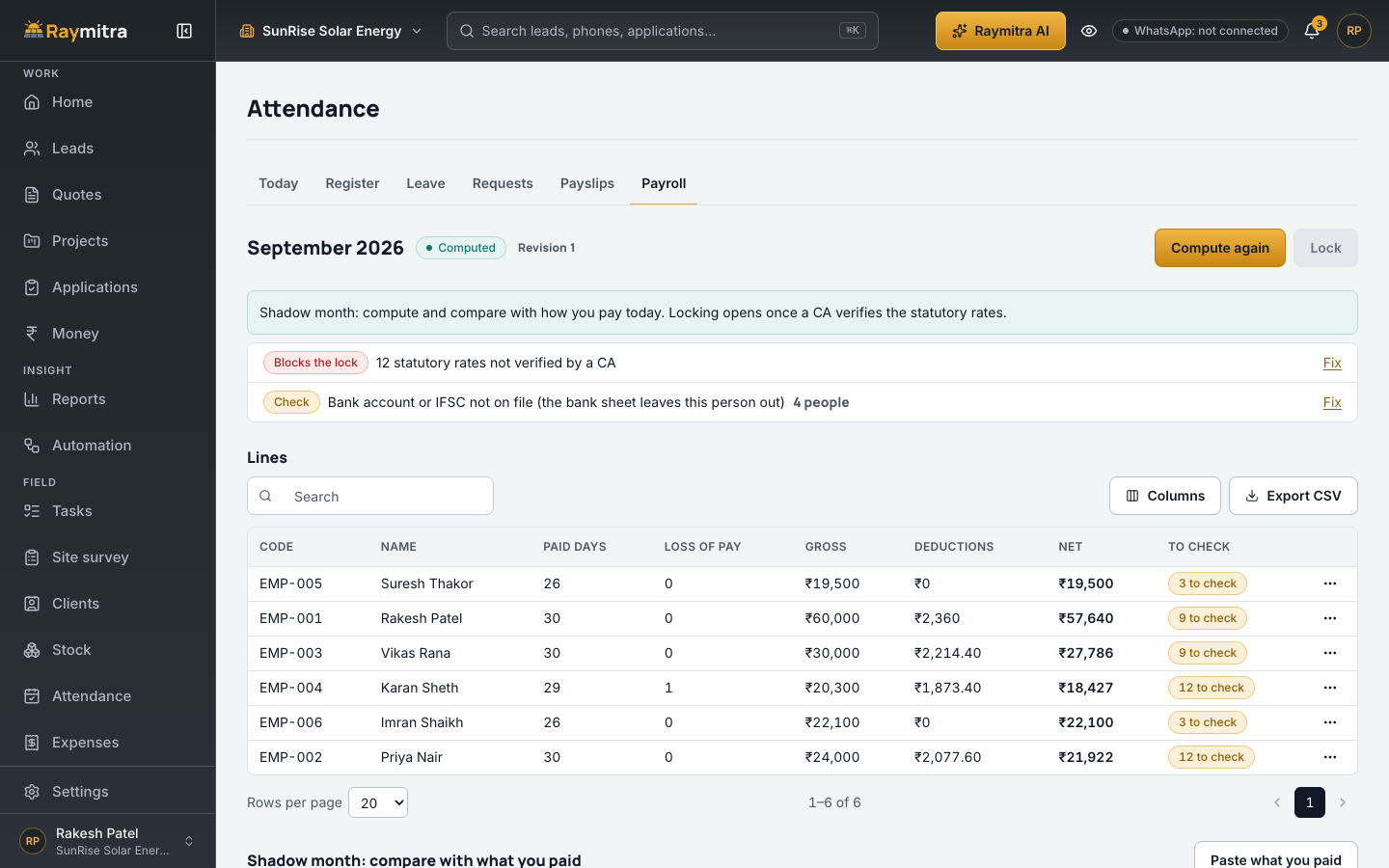
In Raymitra, attendance and payroll are an add-on. See the team stage on our home page.
9. After-sales: the next sale starts here
Without a system: the AMC renewal date lives in a diary, an inverter fault waits because nobody logged it, and the happy customer is never asked for a referral.
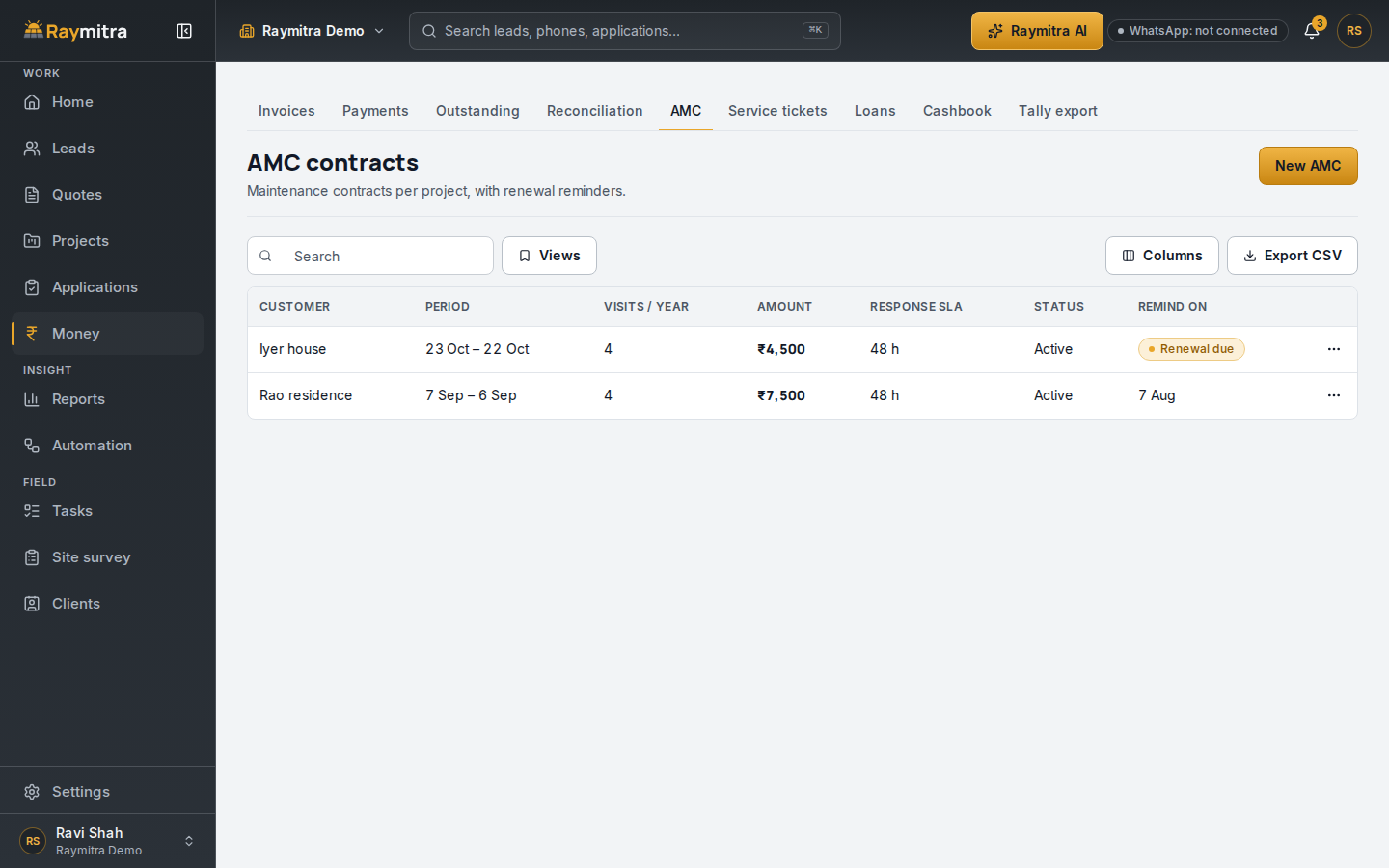
What the software must do: AMC contracts with renewal reminders, and service tickets on the customer's record.
The AI part, without the hype
AI is useful in an installer's software when it saves a call or a search: it scores leads, reads a DISCOM message, and answers "who owes us money this month?" from your own data. Raymitra's AI does those, plus a 9 AM list of each person's work and a night summary for the owner.
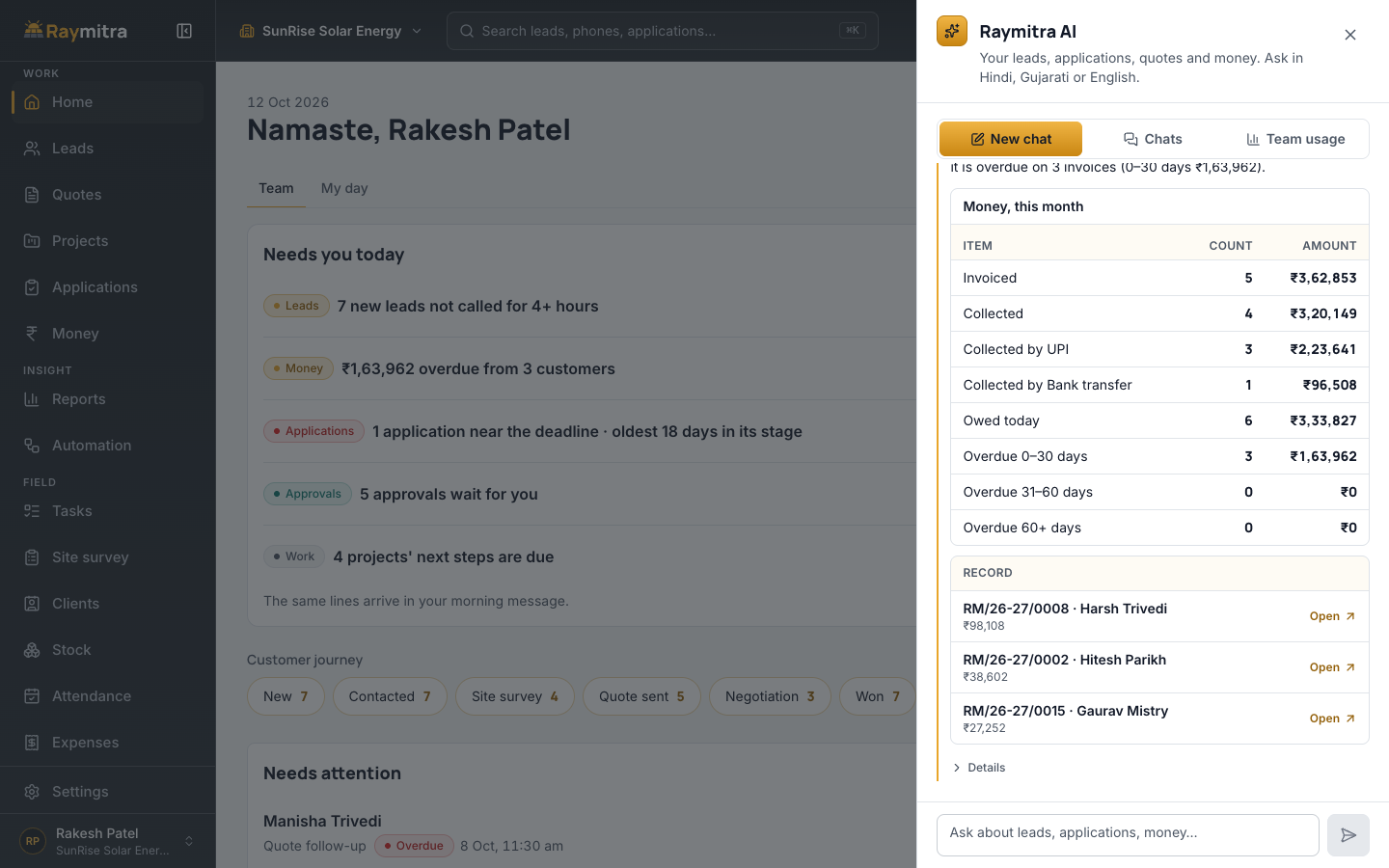
The app runs on phone and laptop, in Hindi · Marathi · Gujarati · English + more on request.
Test any software before you pay: 12 checks
Use your own data, not the vendor's demo company:
- Add a lead the way your leads really arrive, and see who gets it and when they are reminded.
- Fill a site survey on a phone with mobile data off, then turn it back on.
- Quote 3 kW for your state. The central subsidy must be ₹78,000 (₹85,800 in special-category states) and the GST 8.9% blended, worked from the 70:30 rule.
- Ask where the state top-up figure comes from. It should cite a government document or show none.
- Open the quote on the customer's phone, in the customer's language.
- Move a subsidy file through its stages and see what the system does as it ages.
- Turn a won quote into a project and mark one step with a site photo.
- Record a part payment in cash, then find it in dues and in the accountant's export.
- Issue material to a site and watch the store count fall.
- Punch in from a phone and check the register and a month's pay run.
- Give a technician a login and check what they can and cannot see.
- Ask in writing how you get all your data out if you leave.
Frequently asked questions
Do I need a CRM and an ERP, or one app?
One app, if it covers the whole job. Two apps mean typing the customer twice and two records that disagree.
Is a CRM worth it for a small installer?
The test is simple: count the leads, files and payments you lost track of last month. If any of them cost you a job or a penalty, a system is worth a trial.
Which languages should it support?
Your team's and your customers'. Raymitra runs in Hindi · Marathi · Gujarati · English + more on request.
Try Raymitra
Walk the nine stages on our home page, compare plans on pricing, or start the free trial, no card needed, from the button below. The brochure (PDF) lists every live feature.
Updated 11 Nov 2026: plans and prices are on the pricing page.